TUI Reference
The interactive terminal UI (claude-code-log --tui) lets you browse, export, and resume sessions. The screenshots and keybinding tables below are generated from the running TUI at build time, so they stay in sync with the shipped interface.
Screenshots
Session Browser
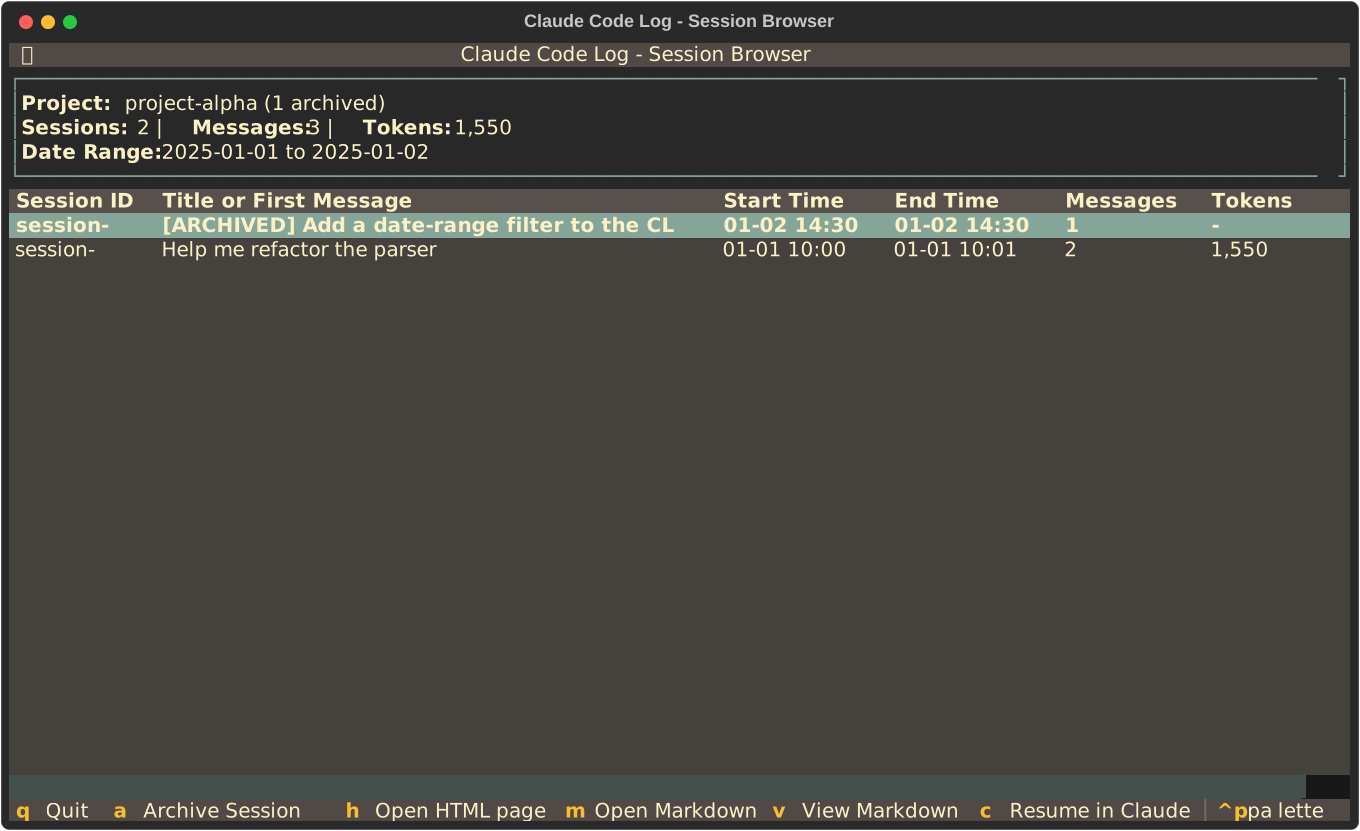
Browse, export, and resume the sessions within a project.
Project Selector
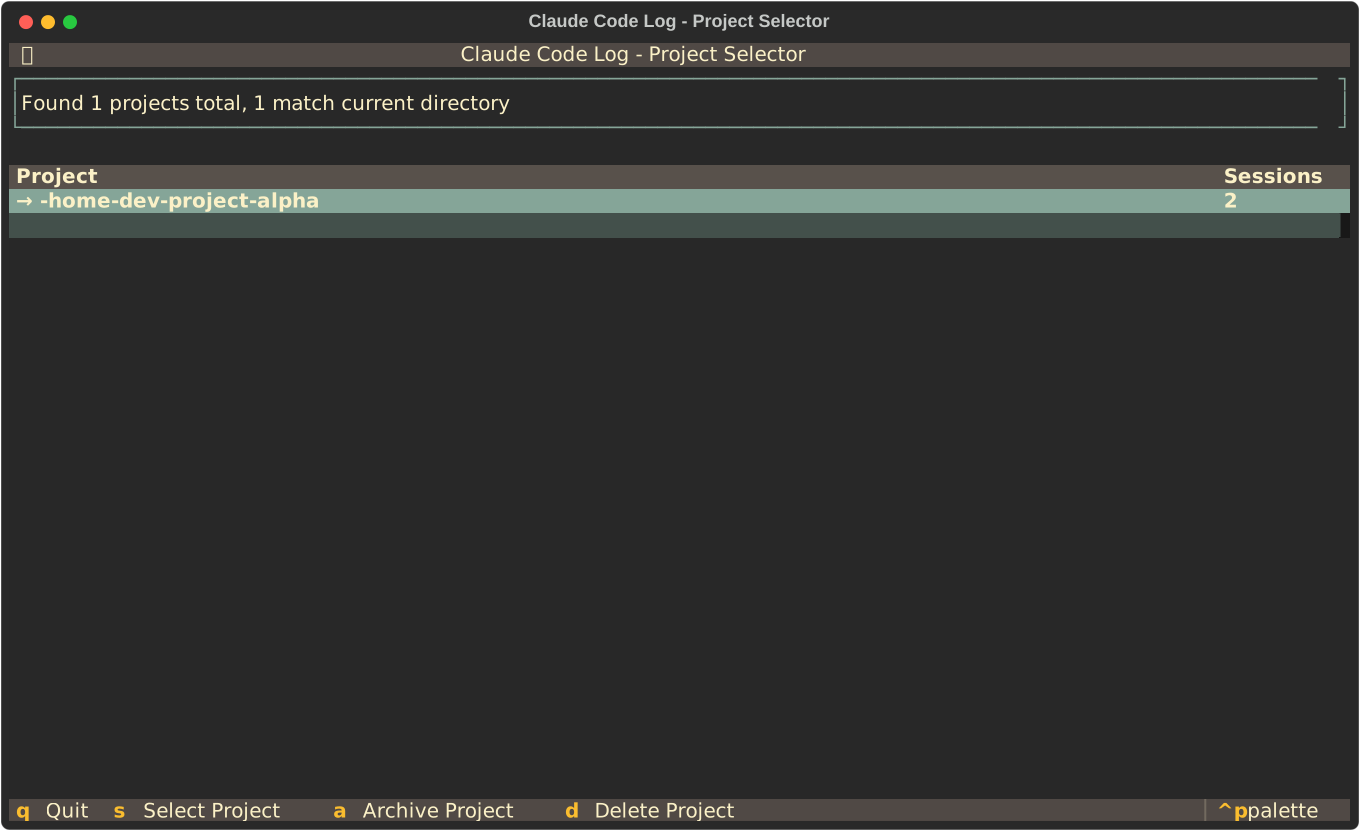
Pick a project when several are discovered under ~/.claude/projects/.
Keybindings
These tables are generated directly from the Textual BINDINGS declared in claude_code_log/tui.py, so they always match the shipped TUI. Keys marked (hidden from footer) work but are not shown in the on-screen footer.
Project Selector
TUI for selecting a Claude project when multiple are found.
| Key | Action | Description |
|---|---|---|
q |
quit |
Quit |
escape |
quit |
Quit (hidden from footer) |
s |
select_project |
Select Project |
a |
archive_project |
Archive Project |
d |
delete_project |
Delete Project |
r |
restore_project |
Restore Project |
Session Browser
Interactive TUI for browsing and managing Claude Code Log sessions.
| Key | Action | Description |
|---|---|---|
q |
quit |
Quit |
escape |
back_to_projects |
Back (hidden from footer) |
enter |
export_selected |
Open HTML (hidden from footer) |
a |
archive_session |
Archive Session |
h |
export_selected |
Open HTML page |
m |
export_markdown |
Open Markdown |
v |
view_markdown |
View Markdown |
H |
force_export_html |
Force HTML (hidden from footer) |
M |
force_export_markdown |
Force Markdown (hidden from footer) |
V |
force_view_markdown |
Force View (hidden from footer) |
c |
resume_selected |
Resume in Claude Code |
r |
restore_jsonl |
Restore JSONL |
d |
delete_session |
Delete Session |
e |
toggle_expanded |
Toggle Expanded View |
p |
back_to_projects |
Open Project Selector |
? |
toggle_help |
Help |
Markdown Viewer
Modal screen for viewing Markdown content with table of contents.
| Key | Action | Description |
|---|---|---|
escape |
dismiss |
Close |
q |
dismiss |
Close (hidden from footer) |
t |
toggle_toc |
Toggle ToC |
tab |
switch_focus |
Switch focus (hidden from footer) |
shift+tab |
switch_focus |
Switch focus (hidden from footer) |
n |
next_page |
Next page |
right |
next_page |
Next page (hidden from footer) |
p |
prev_page |
Prev page |
left |
prev_page |
Prev page (hidden from footer) |
Archive Confirm
Modal screen for confirming session archiving (delete JSONL, keep cache).
| Key | Action | Description |
|---|---|---|
y |
confirm |
Yes |
enter |
confirm |
Confirm (hidden from footer) |
n |
cancel |
No |
escape |
cancel |
Cancel (hidden from footer) |
Delete Confirm
Modal screen for confirming session deletion with smart options.
| Key | Action | Description |
|---|---|---|
c |
delete_cache |
Cache only |
b |
delete_both |
Both (hidden from footer) |
y |
delete_cache |
Yes (hidden from footer) |
enter |
delete_cache |
Confirm (hidden from footer) |
n |
cancel |
No |
escape |
cancel |
Cancel (hidden from footer) |
Archive Project Confirm
Modal screen for confirming project archival.
| Key | Action | Description |
|---|---|---|
y |
confirm |
Yes |
enter |
confirm |
Confirm (hidden from footer) |
n |
cancel |
No |
escape |
cancel |
Cancel (hidden from footer) |
Delete Project Confirm
Modal screen for confirming project deletion with smart options.
| Key | Action | Description |
|---|---|---|
c |
delete_cache |
Cache only |
b |
delete_both |
Both (hidden from footer) |
y |
delete_cache |
Yes (hidden from footer) |
enter |
delete_cache |
Confirm (hidden from footer) |
n |
cancel |
No |
escape |
cancel |
Cancel (hidden from footer) |
Restore Project Confirm
Modal screen for confirming project restoration.
| Key | Action | Description |
|---|---|---|
y |
confirm |
Yes |
enter |
confirm |
Confirm (hidden from footer) |
n |
cancel |
No |
escape |
cancel |
Cancel (hidden from footer) |